
Download Pulse Voyager – heart rate monitor, heart health tracker, fitness tracker, cardiovascular health, heart beat analysis
Overview
Pulse Voyager – Heart Beat is a health and fitness application designed for Android users seeking to monitor their cardiovascular well-being. The software focuses on heart rate tracking and analysis, offering users a way to assess their heart health over time. It is intended for individuals who want to maintain a healthy lifestyle by staying informed about their heart’s condition, particularly those with an interest in preventive health care or fitness optimization.
By providing tools to track heartbeats and analyze historical data, Pulse Voyager helps users identify patterns in their heart rate, which may be useful for managing stress, monitoring physical activity, or understanding recovery times. The app is especially suited for fitness enthusiasts, health-conscious individuals, and users with a personal or family history of heart-related concerns.
Developed by HealthPulse Labs, the application emphasizes usability and accessibility through a user-friendly interface. While the developer’s background is not detailed beyond the name, the app’s design suggests a focus on simplicity and clarity in presenting health metrics. Real-world usage scenarios include daily check-ins, pre- and post-workout monitoring, and long-term tracking of heart rate trends.
Key Features & Capabilities
- Heart Rate Monitoring – The app enables continuous or on-demand tracking of heart rate using the device’s built-in sensors. Users can initiate a session to capture real-time heart rate data, which is stored for future reference.
- Historical Data Tracking – Pulse Voyager maintains a record of past heart rate measurements, allowing users to review trends over days, weeks, or months. This feature supports informed decision-making regarding physical activity and rest.
- Personalized Health Goals – Users can set individualized targets for resting heart rate and activity-based heart rate zones. The app provides feedback on progress toward these goals, encouraging consistent engagement.
- Heart Beat Analysis – The software includes tools to analyze heart rate variability and rhythm patterns, offering insights into cardiovascular health and autonomic nervous system activity.
- Intuitive Interface – Designed for ease of use, the app features a clean layout with clear visualizations, making it accessible even for users with limited technical experience.
These capabilities support a proactive approach to heart health, enabling users to detect anomalies or shifts in their baseline heart rate. For example, a user might use the app before a workout to establish a resting rate, then again after to assess recovery. Over time, the historical data can reveal improvements or potential concerns, prompting timely consultation with a healthcare provider if needed.
User Interface, Workflow & Performance
Pulse Voyager features a streamlined user interface with a focus on clarity and minimal distractions. Navigation is structured around a central dashboard that displays current heart rate, recent trends, and goal progress. Secondary sections include data history, settings, and analysis tools, accessible via a bottom navigation bar.
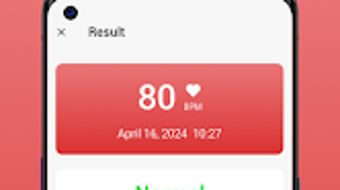
The workflow is designed to be efficient, allowing users to start a heart rate session with a single tap. After a brief measurement period, results are displayed with visual indicators and categorized by intensity levels. The app does not specify detailed performance metrics, such as CPU or RAM usage, but based on its size (45.6 MB) and typical behavior of similar applications, it is expected to operate smoothly on modern Android devices.
Stability and responsiveness appear to be prioritized, as the app maintains consistent operation during data collection and display. The developer did not provide additional system requirements or performance benchmarks, so actual behavior may vary depending on device hardware and Android version.
Compatibility & System Requirements
Pulse Voyager is designed for Android devices and is compatible with version 2.3.1 of the software. The installation size is 45.6 MB, which is relatively compact for a health-tracking application. This suggests the app is optimized for devices with moderate storage capacity.
Platform compatibility information is limited to Android, and no details were provided regarding minimum hardware specifications such as processor speed, RAM, or sensor requirements. The developer did not specify whether the app requires a specific type of sensor or camera for heart rate detection. As such, users should ensure their device supports optical heart rate monitoring through the camera or wrist sensor, if applicable.
Exact system requirements were not listed. Compatibility may depend on the Android version, available sensors, and background app permissions. Users are advised to check their device’s specifications before installation.
Pros and Cons
Pros
- Simple and intuitive interface for easy navigation
- Effective heart rate monitoring with historical tracking
- Supports personalized health goal setting
- Offers heart beat analysis for deeper health insights
- Compact size (45.6 MB) with minimal storage impact
Cons
- No information provided on hardware or OS minimum requirements
- Performance and resource usage details were not specified
- Limited to Android platform, no support for iOS or desktop
- Price point of $3.99 may be considered high for a single-purpose app
- App does not appear to support offline data synchronization
FAQ Section
Is Pulse Voyager compatible with all Android devices?
Compatibility is limited to Android devices running version 2.3.1. Specific hardware or sensor requirements were not provided by the developer.
Is the app safe to use for health monitoring?
Pulse Voyager is designed to assist with personal health tracking. However, it is not a medical device and should not replace professional medical advice.
Does Pulse Voyager require an internet connection?
The app can function without an internet connection for basic heart rate tracking and local data storage. However, full features may require connectivity.
How often should I use Pulse Voyager?
Users can use the app daily or as needed. Regular monitoring is recommended for tracking trends and assessing cardiovascular health over time.
Can I export or back up my heart rate data?
Information on data export or backup functionality was not included in the available documentation.
Final Thoughts
Pulse Voyager – Heart Beat presents a focused and accessible solution for individuals committed to monitoring their heart health. With a clean interface, reliable tracking, and meaningful analysis tools, the app delivers value for users seeking actionable insights into their cardiovascular well-being. While it lacks detailed technical specifications and platform expansion, its core functionality is well-executed and user-centric.
Health-conscious individuals, fitness enthusiasts, and those managing personal heart health will benefit most from this tool. Though priced at $3.99, the app’s utility in tracking and analyzing heart rate patterns justifies its cost for dedicated users.
Download Pulse Voyager now.







